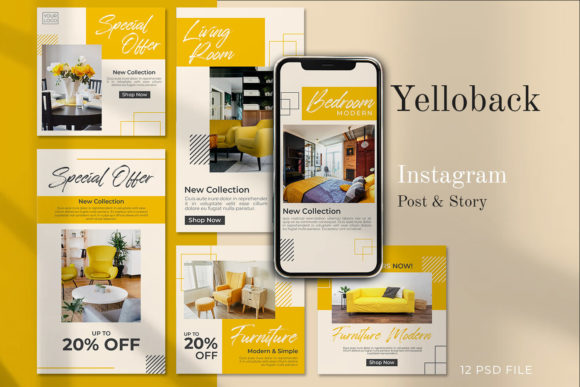
YELLOBACK - Instagram Stories Post
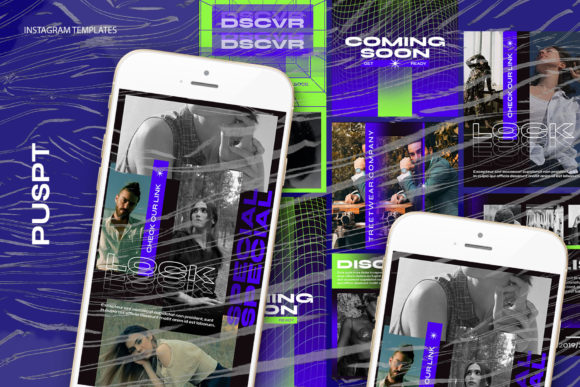
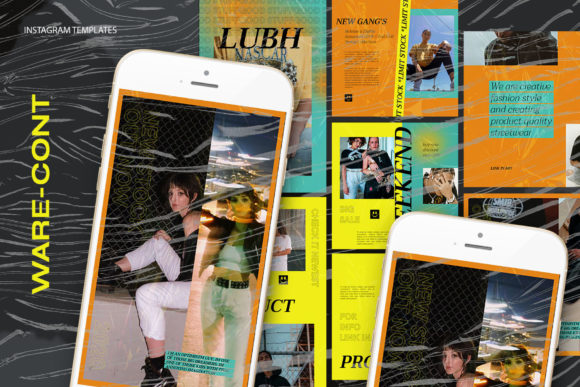
YELLOBACK - Instagram Stories Post is a powerful set of social media templates designed to elevate your online presence. Whether you're a small business owner, marketer, or content creator, these templates offer a professional and visually appealing way to showcase your brand across platforms like Instagram and more.
With 12 unique variants, YELLOBACK provides a flexible solution for creating engaging stories and posts. Each template is fully editable, allowing you to customize the design to match your brand's identity. The intuitive layout ensures that even those with basic editing skills can create stunning visuals without hassle.
Key Features of YELLOBACK - Instagram Stories Post
One of the standout features of YELLOBACK is its meticulous organization. Each PSD file comes with labeled layers, making it easy to locate and modify specific elements. This level of detail saves time and reduces the learning curve for users who are new to Photoshop.
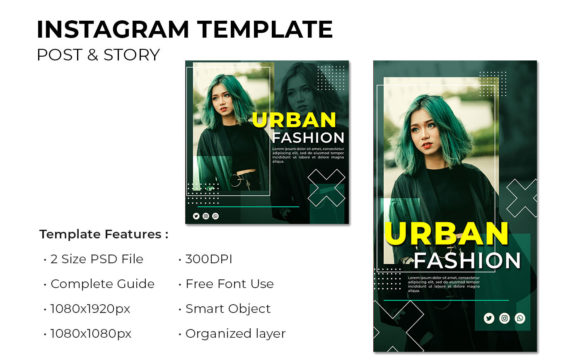
- 12 PSD Files: A comprehensive set of templates for various use cases.
- Labeled Layers: Easy navigation and modification of design elements.
- Smart Objects: Simplified image placement with just a few clicks.
- High-Resolution: Designed at 300 dpi for crisp, professional results.
- Multiple Sizes: Supports both 1080 x 1080 px and 1920 x 1080 px formats.
- All Text Editable: Customize text using the text tool for personalized messaging.
The templates are built with RGB color profiles, ensuring vibrant and accurate colors on digital screens. They are also optimized for Instagram, making it easy to upload and share your content directly from your account.
Why YELLOBACK is Useful for Your Business
For businesses looking to stand out on social media, YELLOBACK offers a practical solution. With just a few photos, you can transform your Instagram feed into a visually cohesive and professional space. This is especially beneficial for entrepreneurs and small business owners who may not have access to a full design team.
Marketers can use YELLOBACK to create consistent branding across multiple campaigns. The ability to edit text and images quickly makes it ideal for time-sensitive promotions, product launches, or event announcements. Educators and bloggers can also benefit by using the templates to create engaging content that resonates with their audience.
Creators and freelancers will appreciate the flexibility of the templates. Whether you're designing for clients or personal projects, YELLOBACK allows you to maintain a high standard of quality without the need for advanced design skills. The templates are also perfect for hobbyists who want to enhance their social media presence with minimal effort.
Practical Applications Across Different Industries
YELLOBACK - Instagram Stories Post is versatile enough to be used in a variety of settings. In the commercial sector, businesses can use the templates to promote products, services, or special offers. For example, a fashion brand might use one of the templates to highlight a new collection, while a restaurant could showcase daily specials or events.
In educational environments, teachers and institutions can use the templates to create informative and visually engaging content. This could include class updates, study tips, or event announcements. The ease of editing makes it simple to update content regularly, keeping students and parents informed.
For digital marketers, YELLOBACK provides a reliable tool for managing social media content. The templates allow for quick creation of posts that align with brand guidelines, ensuring consistency across all platforms. This is particularly useful for agencies that manage multiple client accounts.
Benefits of Using YELLOBACK - Instagram Stories Post
One of the main benefits of YELLOBACK is its user-friendly design. Even if you're not a professional designer, you can create high-quality content with minimal effort. The smart object feature simplifies the process of adding images, while the labeled layers make it easy to adjust other elements of the design.
Another advantage is the time savings. Instead of spending hours designing from scratch, you can use the templates as a starting point and customize them to fit your needs. This is especially valuable for busy professionals who need to maintain a strong online presence without sacrificing time for other tasks.
From a branding perspective, YELLOBACK helps maintain a consistent visual identity across all social media platforms. This is crucial for building brand recognition and trust. By using the same templates for different types of content, you can create a cohesive look that strengthens your brand's image.
Considerations When Using YELLOBACK
Before using YELLOBACK, it's important to ensure that you have Adobe Photoshop installed. While the templates are easy to use, they require the software to make edits. If you're not familiar with Photoshop, you may need to spend some time learning the basics to get the most out of the templates.
Additionally, keep in mind that the preview images used in the templates are not included in the download. You'll need to source your own images or use stock photos to complete your designs. This is an important consideration when planning your content strategy.
Finally, take the time to explore the different templates and find the ones that best suit your needs. Experimenting with different layouts and styles can help you discover what works best for your brand and audience.
Conclusion
YELLOBACK - Instagram Stories Post is a valuable resource for anyone looking to improve their social media presence. With its wide range of templates, easy-to-use features, and professional design, it offers a practical solution for businesses, creators, and educators alike. Whether you're promoting a product, sharing information, or building your brand, YELLOBACK can help you create content that stands out and engages your audience.