Elevating Your Social Media Presence with Professional Instagram Templates
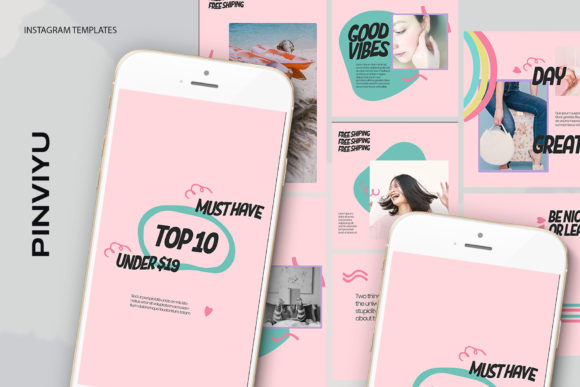
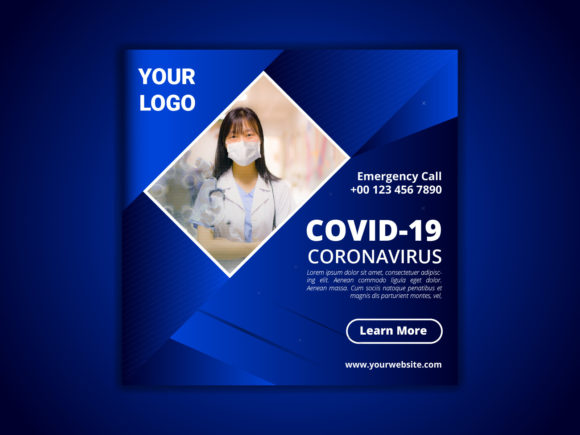
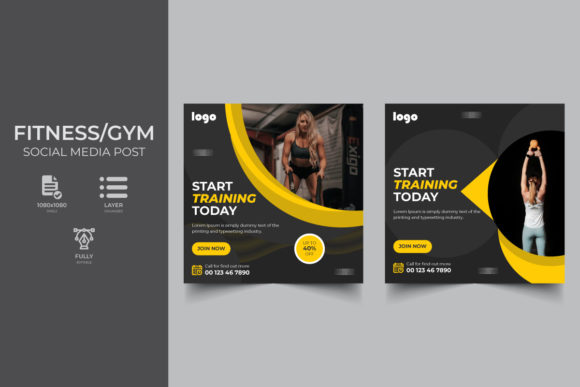
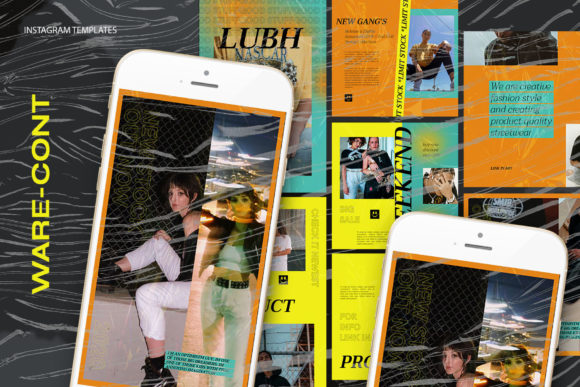
In the fast-paced world of social media marketing, consistency is king. Brands and influencers alike struggle to maintain a cohesive aesthetic while churning out daily content. This is where Ware-Cont Instagram Templates step in as a game-changer for designers, marketers, and small business owners. These resources are not just pre-made graphics; they are robust, editable frameworks designed to streamline your workflow without sacrificing quality or creativity.
The modern digital landscape demands high-resolution visuals that load quickly yet look crisp on retina displays. Whether you are running an e-commerce store, managing a lifestyle blog, or curating a portfolio, the visual identity you project on Instagram can make or break your engagement rates. Utilizing professional templates allows you to focus on the message and the imagery rather than getting bogged down in layout mechanics every single time you post.
The Power of Smart Objects in Design Workflows
One of the most significant advantages of using the Ware-Cont Instagram Templates is the integration of Smart Objects. For those unfamiliar with advanced Photoshop features, this might sound technical, but it is actually the key to extreme efficiency. A Smart Object acts as a container for your image data, allowing you to replace the visual content without disturbing the layers, filters, or effects applied to the original design.
Imagine having thirty posts to schedule for the month. Without Smart Objects, you would need to manually resize, crop, and adjust the lighting of each new photo to fit a specific frame, often losing quality in the process. With these templates, the process is drastically simplified. The file structure is optimized so that you simply double-click the layer icon within the image group. This action opens a separate document window where you paste your new photograph. Once you save that file (Ctrl+S), the main template automatically updates, perfectly masking and styling your new image to fit the design.
This "double-click, paste, save" workflow reduces what used to be a twenty-minute task per post into a thirty-second operation. It ensures that every image maintains the intended perspective, shadowing, and color grading established by the professional designer who created the template. This consistency is vital for building brand recognition; your audience begins to recognize your style before they even read your handle.
High-Resolution Standards for Modern Displays
Quality cannot be compromised when competing for attention in a crowded feed. The Ware-Cont Instagram Templates are built with rigorous technical specifications to ensure your content looks professional on any device. The files are provided at 300 DPI (dots per inch). While screen display typically requires 72 DPI, designing at 300 DPI ensures that if you ever decide to repurpose your social media graphics for print materials—such as flyers, brochures, or business cards—the resolution is already there. You avoid the pixelation and blurriness that plague low-resolution exports.
Furthermore, the color mode is set to RGB, which is the standard color space for digital screens. This ensures that the vibrant colors you see on your monitor are exactly what your followers see on their smartphones. There is no unexpected color shifting that often occurs when converting from CMYK (print) to RGB (digital). The attention to these technical details means you can upload with confidence, knowing the visual integrity of your brand is preserved.
Versatile Dimensions for Every Content Type
Instagram is no longer just a square-photo app. The platform has evolved to include Stories, Reels, IGTV covers, and various post formats. A one-size-fits-all approach rarely works in today's multi-format environment. The Ware-Cont Instagram Templates address this by offering versatile dimensions, specifically including 1200 x 1200 px for classic square posts and 1920 x 1080 px for high-definition stories and reels.
The 1200 x 1200 pixel dimension is the sweet spot for Instagram feed posts. It provides enough detail for zooming in while keeping file sizes manageable for quick loading on mobile data networks. On the other hand, the 1920 x 1080 resolution is essential for full-screen vertical content. As Stories and Reels continue to dominate user engagement, having templates ready for these formats allows you to extend your campaign's visual language across the entire app seamlessly.
Having access to both aspect ratios within the same design family means you can create a holistic campaign. You can tease a product in a Story using the 1920 x 1080 layout and then direct users to a detailed square post in your feed, all while maintaining identical typography, color palettes, and graphical elements. This cross-format consistency strengthens your narrative and keeps the user experience smooth.
Total Editability for Custom Branding
While the structure of the template provides the foundation, your unique voice comes from the content you fill it with. A common misconception about using templates is that they limit creativity or force you into a rigid box. However, the Ware-Cont Instagram Templates are designed with full editability in mind. Every text element is fully editable using the standard text tool in Photoshop.
This means you are not stuck with generic placeholder copy like "Lorem Ipsum" or "Your Text Here." You can change fonts, adjust kerning, modify leading, and alter colors to match your specific brand guidelines instantly. If your brand uses a specific hex code for its primary color, you can apply it to headlines, subheaders, and background accents with a few clicks. This flexibility ensures that while you benefit from a professional layout, the final output feels authentically yours.
The ability to tweak the design also allows for A/B testing. You might want to see how a bold, sans-serif headline performs compared to a delicate serif font. With these templates, swapping out typography is effortless, allowing you to iterate on your design strategy based on real engagement data rather than guesswork.
Streamlining the Creative Process
Time is the most valuable resource for any creative professional or business owner. The primary function of adopting a template system like Ware-Cont is to reclaim that time. By removing the need to build layouts from scratch, you shift your focus from how to arrange elements to what message you are conveying.
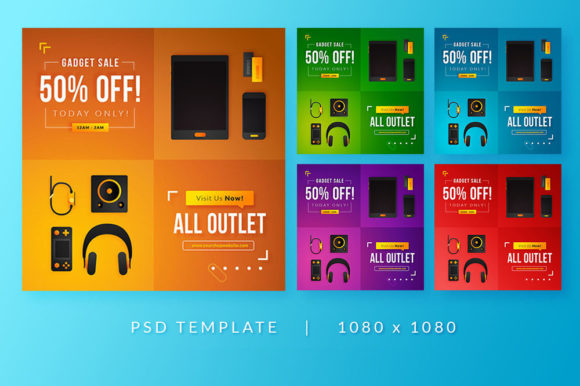
Consider the scenario of a seasonal sale. Instead of spending hours designing a new banner, you open the template, drop in the product photos via the Smart Object layer, update the discount percentage in the text layer, and export. This speed allows you to be agile. If a trending topic arises in your industry, you can capitalize on it immediately with a high-quality graphic rather than missing the moment because you were still wrestling with alignment tools.
Moreover, these templates serve as an excellent starting point for learning. Junior designers can deconstruct the files to understand how professional effects are achieved. By examining the layer groups, blending modes, and adjustment layers used in the Ware-Cont Instagram Templates, less experienced users can learn advanced techniques simply by observing the file structure. It acts as both a production tool and an educational resource.
Important Considerations Before You Begin
While the benefits are extensive, it is important to note a few practical details to ensure a smooth experience. First, the images shown in the preview files are not included in the download. This is standard practice for stock template marketplaces to protect copyright. You will need to source your own photography or use royalty-free images from sites like Unsplash or Pexels to populate the Smart Objects.
Secondly, while the templates are easy to use, they do require Adobe Photoshop. The Smart Object functionality is native to Photoshop and does not translate perfectly to all other editing software. Ensure you have a compatible version of the software installed to take full advantage of the "double-click to edit" feature. If you are using older versions of Photoshop, verify compatibility, though most modern CC versions work flawlessly.
Finally, organization is key. When you begin working with multiple templates, keep your asset folders organized. Since the Smart Objects link to external files or embedded data, maintaining a clean workspace prevents broken links or confusion when managing large batches of content. Creating a dedicated folder for your monthly assets alongside the template files can save you from headaches later on.
In conclusion, integrating Ware-Cont Instagram Templates into your content creation pipeline offers a blend of efficiency, quality, and flexibility. By leveraging high-resolution standards, smart automation features, and fully editable text layers, you can produce studio-quality social media content in a fraction of the time. Whether you are a seasoned graphic designer looking to speed up your delivery or a business owner handling your own marketing, these tools provide the professional edge needed to stand out in the digital noise.